The Screenshot Is Not the Whole Story
A screenshot can preserve a striking line while hiding its date, source, and surrounding exchange. Use this check to recover context before sharing it.

The most common mistake with a news screenshot is treating the visible crop as the complete report. That can cost you the date, the source, or the sentence that changes what the quoted line means. A screenshot is a piece of evidence about what appeared on a screen; by itself, it may not tell you where the item came from or what surrounded it.
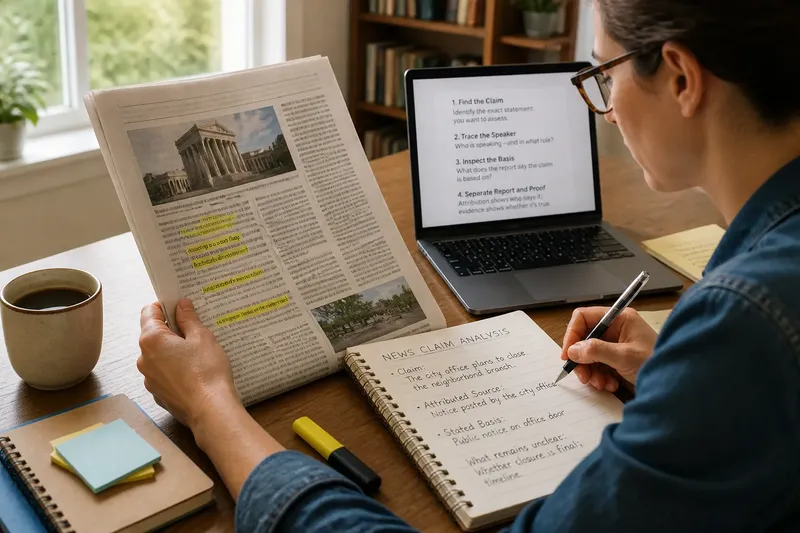
A useful check does not require becoming an investigator. It means pausing long enough to inspect the image, look for the original item, and keep track of what remains uncertain. The routine below fits into a few minutes, whether the image arrives in a group chat, a social feed, or a forwarded email.
A screenshot context check
Think of the image as a crop from a larger scene. Its edges matter: a headline may sit above a paragraph, a quotation may continue below the fold, and a post may have been edited or replied to after the image was captured. Even a genuine screenshot can be incomplete, old, or presented with a caption that changes how readers interpret it.
Start with the visible material rather than the claim attached to it. A dramatic caption is not part of the screenshot unless it appears within the captured image, and even then it may have been added by someone other than the publisher. Keep those layers separate as you check.
- Inspect the crop: Note whether a sentence begins or ends abruptly, whether a headline is missing, and whether the image cuts off replies or explanatory text.
- Look for identifying details: Check for a publication name, account handle, date, byline, page title, or recognizable section label. Treat absent details as unanswered questions, not proof of deception.
- Separate image from caption: Identify which words are visible in the captured screen and which were added in the message or post that shared it.
- Find the original location: Search the exact wording in quotation marks, or use a distinctive phrase with the publication or account name. If the image shows a website, look for its article page rather than relying on a repost.
- Compare the surrounding material: Open the original item and read the sentences before and after the displayed passage. Check whether a label, correction, or update appears nearby.
- Record what is still unknown: If you cannot locate the source or establish the date, say so plainly before passing the image along.
Do not assume that a search result showing similar words proves the screenshot came from that page. Search engines can surface copied text, later versions, or unrelated pages with matching phrases. The goal is to find a plausible original and compare the visible details, not to turn a resemblance into certainty.
What the edges hide
The missing context is not always a dramatic sentence. It may be a date showing that the report is old, a label identifying an opinion piece, or a few words that make clear a statement is a question rather than a conclusion. A crop can also remove the distinction between a reporter’s narration and a source’s quoted claim.
Layout can be informative, too. A screenshot might combine a headline from one page with a paragraph from another, or place an unrelated caption beside a news image. Look for changes in font, spacing, background, and alignment. These clues can prompt a closer look, but appearance alone cannot establish whether an image was altered.
On social platforms, the surrounding conversation matters in a different way. The image may show a post without its replies, a reply without the post it answers, or a thread excerpt without the earlier messages that set its subject. Before deciding what a person or outlet meant, find the full exchange if it is available. If it is not, describe the limitation rather than filling the gap with a guess.
Imagine a neighborhood group chat shares a cropped image of a local news post saying that a school will close. The image has no visible date and cuts off beneath the headline. You search the distinctive phrase, find the school district’s current notice, and see that the news post referred to a planned closure the previous year. The observable result is not proof of who created the crop; it is a clearer basis for saying the screenshot is outdated and should not be treated as a current announcement.
A short verification window
When a screenshot appears, use a small, repeatable routine rather than letting the most alarming wording set the pace. The following sequence can take place during one ordinary pause in your day.
- At first glance: Save or open the image without forwarding it. Read the exact visible words and note any cut-off lines, missing dates, or absent source details.
- On the first search: Search a distinctive phrase, then try the phrase with a publication, organization, or account name shown in the image. Open a result that leads to the original page, not just another repost.
- When a match appears: Compare the screenshot with the page. Check the headline, date, text around the quoted passage, and whether the page carries an update or correction.
- If no match appears: Try a shorter phrase or a different search engine, and check the publisher’s own site or account. If the source still cannot be located, keep the item unverified rather than treating a failed search as evidence that it is false.
- Before sharing: Add the source and relevant date if you have them. If context remains missing, explain that limit or choose not to circulate the image.
A browser’s search box is often enough for a first check. On a phone, open the image in a larger view so small date stamps or account names are legible. Reverse image search can sometimes reveal earlier appearances of the same picture, but a matching image does not by itself confirm when it was made or whether its accompanying words are accurate.
Questions readers ask?
Can a screenshot be authentic and misleading?
Yes. It may faithfully show a real page or post while leaving out a date, a qualification, or the surrounding conversation. Authenticity of the image and completeness of its context are separate questions.
What if I cannot find the original?
Do not treat the missing result as confirmation or disproof. You can say that the source remains unidentified, ask the person who shared it for a link, and avoid presenting the screenshot as established news.
Does a reverse image search settle the issue?
No. It may help locate earlier versions of an image or point to pages worth checking, but it cannot establish that a caption is accurate or that the screenshot preserves the full exchange. Compare the image with the source page whenever possible.
Should I share a screenshot with a correction?
If the image itself is likely to circulate further, a concise correction can help, especially when it includes a direct link and the relevant date. Avoid repeating a misleading claim more prominently than the clarification, and make the missing context clear.
Sharing with care
When you pass along a screenshot, include the link to the original item if you found it, plus a brief note about the context that matters. “This is from an older post” is more useful than a vague warning; “the crop leaves out the next sentence” tells readers exactly what they should inspect. If the original is unavailable, state that rather than supplying a confident-sounding source from memory.
Sometimes the best choice is not to share the image at all. A dramatic crop can travel farther than a careful explanation, and each repost may detach it from whatever context you recovered. If you need to discuss it, consider sharing a link or quoting the relevant passage with its date and source instead.
A screenshot can be a useful clue, but it is not the same as the full page, post, or conversation. The screenshot context check gives you a simple standard: identify what is visible, seek what sits outside the crop, and keep your conclusion within what you could actually confirm. That habit makes room for a clear answer when one is available—and an honest “not enough context” when it is not.