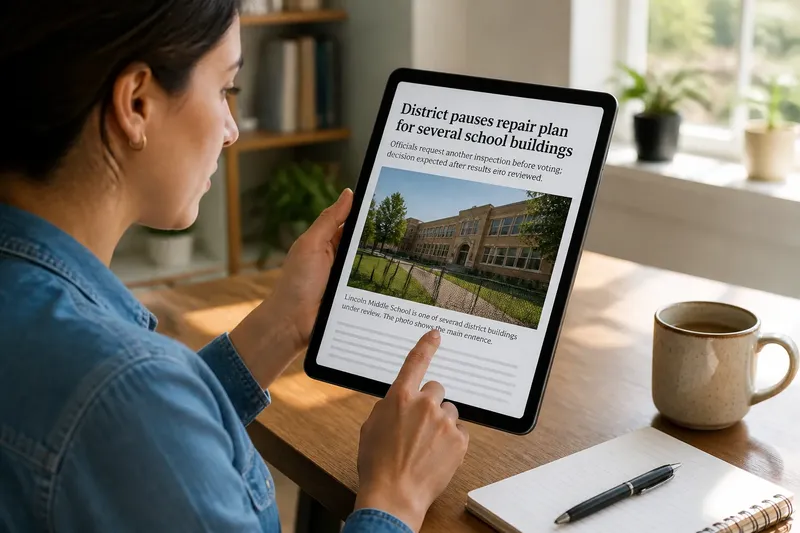
Following an Early Report Without Rushing to Certainty
Following an early report carefully helps you track revisions, spot stale versions, and decide when a new update matters to your understanding or plans.

The most common mistake with an early report is treating every new alert as a fresh answer. That can cost you attention and leave you reacting to repeated fragments instead of noticing the update that actually changes the story. Following an early report well is less about judging each claim in isolation and more about managing versions: what changed, what was corrected, and which account is current.
This approach is useful when a story is still developing, such as a public meeting, a service disruption, or an unfolding emergency. It is not a reason to refresh every feed. Choose a return point, keep a compact version history, and stop when the story has answered the question you came with.
Pick a return point
Before opening another update, name the reason you are following the story. If you need to know whether a bus route is operating, check the transit agency’s current alert. If you want to understand a policy decision, look for a report that adds the decision’s context or records what happened next. A reason gives you a way to tell an important update from another repetition.
- For an immediate decision: Check the responsible organization’s current notice. If it gives actionable information, use that for the immediate choice; if it is old or unclear, seek a newer notice or contact the organization rather than relying on an older news story.
- For a developing account: Look for a report that identifies a new event, correction, or document. If it adds one, note what changed; if it merely repeats the existing account, wait for a more useful update.
- For an unresolved question: Write down the specific question you hope a later report will answer. If an update addresses it, revise your understanding; if not, leave it open instead of treating a plausible explanation as settled.
- Before sharing: Check the date, update notice, and whether a newer version exists. If the item is current and you can describe its status clearly, share with context; if not, wait or share the newer account instead.
These purposes can overlap, but handle an urgent practical need first. If you are reading out of curiosity, you can also decide that no further update is needed for now.
Keep a version log
Use a notes app, a paper notebook, or a saved link with a brief note. Record the outlet, the time you read it, and the change that prompted your attention. Then sort details into three simple groups: added, corrected, and still unanswered. This log tracks how the account develops; it is not a separate investigation.
- Added: If the latest account supplies a detail that was absent before, record the new detail and its publication time; if it adds no substantive information, leave the entry unchanged.
- Corrected: If a report explicitly fixes a name, date, location, or other detail, note the old and revised wording; if the change affects a conclusion you drew, reconsider that conclusion.
- Still unanswered: If a question remains unresolved, keep it in this section; if a later report answers it, move it out and record the new information.
- Repeated: If a new post repeats the same detail without adding context, mark it as a repeat or skip it; if it supplies a new document or event, assess that addition separately.
- Withdrawn: If a newsroom removes or retracts a claim, mark it as withdrawn; if you previously shared it, correct the same conversation or post where people saw it.
- Time-sensitive: If a detail concerns a schedule, closure, or instruction that may change, check the issuing organization’s latest notice; if no current notice is available, do not present the old detail as current.
Say you read a local outlet’s report that a council meeting was postponed, then later see an update with the new meeting date. In this invented example, the starting inputs are the original report, the update, and your question: “When is the meeting now?” You record the first report’s publication time, then the update’s time and the new date under “added.” If the update also corrects the reason for the postponement, you record the correction separately; your resulting answer is the new date, while any still-unexplained reason remains unanswered. The tradeoff is simple: your note takes a little care, but it prevents an old date or superseded explanation from sticking in your memory.
Read the change itself
When returning to a story, start with its timestamp, update note, or correction box. Compare the new version with your log and identify the exact change. News sites may label a correction, add a new paragraph, revise a headline, or publish a separate follow-up; these are different editorial actions, so do not assume that every later post replaces the entire earlier account.
Then ask what the change affects. A corrected name may not alter the broader account, while a revised time or location could change how you understand an event. If an update changes a detail that supported your conclusion, narrow or withdraw that conclusion. If it adds background without changing the answer you needed, note the addition and move on.
For a practical decision, distinguish a report’s update from an instruction meant to guide people now. If a local news story says a road closure has changed, check the relevant city or transportation notice before choosing a route. If the notices conflict or the situation poses a safety concern, use current guidance from the responsible authority and seek qualified help where appropriate.
When details change?
Should I reread the whole story?
Read the update notice and the passages connected to the change first. If the new detail alters the context or your decision, reread the full report; if it does not, a focused review may be enough.
Does a correction undo the whole report?
Not automatically; a correction may affect one detail or a larger part of the account. Check whether your understanding depended on the corrected information, and revise it if it did.
What if two outlets update differently?
Compare their publication times and the specific detail each one changed. If they still conflict, record the disagreement as unresolved and wait for a clarifying account rather than choosing the version that sounds more complete.
When can I stop checking?
Stop when the update answers the question that brought you to the story or when further posts repeat what you already know. If a practical detail could affect a decision later, return to the responsible organization’s current notice before acting.
Correct the version you shared
If you passed along an earlier account and a meaningful correction appears, update the same place where people saw it. State what changed and link to the current report when possible. If you cannot edit the original message, send a follow-up in the same conversation so the correction does not depend on people finding it themselves.
For the next check, search the outlet’s story page for a correction or update note, then compare its current timestamp with the version you saved. Following an early report becomes manageable when you track revisions rather than treating each alert as a separate account. Keep the log brief, let unanswered questions remain open, and use the latest relevant notice when a real-world decision depends on it.